Character codes list (14)
All 14 codes below were made and shared by Tardo in his Steam guide (last updated 21 Nov 2026). We copied them unchanged on 24 Nov 2026 and have not tested each one in game. Character names belong to their owners; these are fan-made looks.
Shoyo Hinata
JV2:fOE2W_9awGBA3qX_FAaW3FWG8ta80XTnJx85qgalQkD8-iuj4t7DSpHHBTu1LfKb_oKDEiT8nJxv3MVhAQkyx_soBjgg24Fubm5rq6usw6UeCszMzAA
Shoyo Hinata – green scarf
JV2:7YMm-N_BDeXZJp6Ox9FmpRM1_2VjArdFMSbcCtVa0VHgV1jigUalsYrCUlJVVVatVpqtbW1uurXgAeMWzpeZyuQIcCKjMBwUxwLZ0vM5XIEOBFx3FSVYxjjoHqrYGxfnI2Lz1UfL7gmQHGCJ3Lq0mvXJgA
Tobio Kageyama
JV2:IOY2u_7l5HlA0acBLgXFWG8ta80XTnJx8ERDSs1bcC3Sq2tMWjHu4Z9q3kOYccFO5Lt0pv84OMSJPyVXG_cxOEBCTKn-ygGOCDXga66urrUdKPBWZmZg
Luffy
JV2:AfDBUX-ofgwIGjjgY8COGjf5clNY7JhiAbdurdvVnxbV20sWOKvcrV-l3rwz0LpOmnZzgAAAE__z_oQDwaZ7X4KMzwUdvXUioKzs17jyDAIMEfiEcFZGiUgAAA
Charizard X
JV2:4vDBbxmZmYYIPgsNiUVpuZsFF1xyIrlAfLcuVc0DDaD_v_6g1d3ntqAMSSVvpeHABhw_8hcZUo5QORGW777j8MXRISBAIc3IxwFKByCBu0I4DlHkQDly5ckY7mt-Plar7g5Rp8E5aKvJGy_n_HKBiECBW5I8EIr9IcuXK4jgCK3XHLlyuIxqv05ZgTYFC1A5cuXIj5QoeqToQA
Ghost (Hollow Knight)
JV2:La4m-fr8owKWCD7XBuXKFjhsHqBAgGFy5XWcDyu2sHJMCTiMDQ8UUCQsO6rgLTgcDgc5QqMkPADhODIbGa-K8fRKRu_19o-__v7kNIhr58ApwEZHSP1D1Al6Cfq5V0YmLjyPxwNkbV4GE5crHJHaPxA
Hornet (Silksong)
JV2:S8fBsfBmCTnGiOCBgrGvLzHPo4LSgQOXKAwwJU-5y5WtasCBAW8dStgt284HRtv1-UBhpX8BmKaJDAV1-DVcBacCSIVm4CQKqj54AwACRiFyjyTlA5ckeCPVWqMZPRyG0UMXLFoRyA
Tung Tung Tung Sahur
JV2:EfPBZ08wlNQSc40QwQaLlyuW7TqY3Lkzcr9i06DAaSSNC0f0bYzmTfHx8arv_5AIGDAHFADlT5TEcAA
Teemo
JV2:8DvBT3_pUNQSc40TgcsEHzxKHAK5Xqo1GYoC5ljA5crHzXKfSNrlAmMsd4PfLlUwcrZaBFIAr8FWi00QWgg5w0owAQMchB8z8VGuVjI2XsosXAjeX4B-ADtyhiv27DPn5JYZy6A2uEOtYyQIFfXAgQEYSScIj3OVabasZqkC-nK9103-AAGmWHmUFBYCyPbEy6MtvBSRswJDwKkQRyt4syefPChUCT4_AgMDgA
"Do you know the wae" Knuckles
JV2:Blkm6UBnHly6F0oDMjr5IqEjRTpmDWYDLz5-nlxwNXIxOgqjV5OCr1zy5ezZF1fAg0X9yNnBkGABnBbSgcnJAgQKqMViJoI6Mq-juVhARv_IkhKXAozyOojpcAMMDknq1apmAA
Spider-Man
JV2:-0XBN_m5TMEnONEb9jBB8F1dXUuV-rdpsFQIsAwDAaCYe4ymA1WFppgA
Greninja
JV2:ANjBMcNOlMEnONEYEDBpstK0BUR0dHR1b3P7hrpjhMcFTlKyUbGI4NzfJgQL3Lk7sQOSAw3-XKBYzg8Gy7e5WtxtiMxdrNTgHLld5YYEDAaCB_-FYABvTzq4-Pj4FX2WjQSxGYEOECnzYJuPZm-I2NjYFPWmGJJSHv5ilAr5i5TpVEcwvQIEA5VNmBHAL0CBAOVTNbRzDlyoSCdT5EZGzf8swOU6Bq5cs97kjcURfx4PW2Piz2t9eZYR0QA
Piccolo (Dragon Ball Z)
JV2:BfPBYy_WJ0wak4g1Nh5UMGcjFbCjsfwbvJ-BnBip27tN6UYhE0qdG7y5WPp3LCqt8727lWyVcQpGWVX2GlJKjxIOSdK3qsVpjIcWhVI8maYj4-yMUMWh3-NANCnnYqPHfjs9UQL2IlhwilpLVXA3AUtIt4WIBvlAgYDlywwEeCG4ECFgOXLFAR4I9A5coBHggA
Frieza (Dragon Ball Z)
JV2:1JbBN_f39MEnONEYEfBnLJMxo7HcG7vfgpkgLZfrE7guzaCmxHRsbaN-jd5crX07lXlMW7vVqMrBHBnKXyMsqvgNBBFHd1itMJDi0LBMR8fccK7_AAPEK0UJNeJDTw4PBPx0fDyJFG3cSxxPx0ybKJ9GvWSxxLMCpblZoHIY4RwA
How do you import a just volleyball character code?
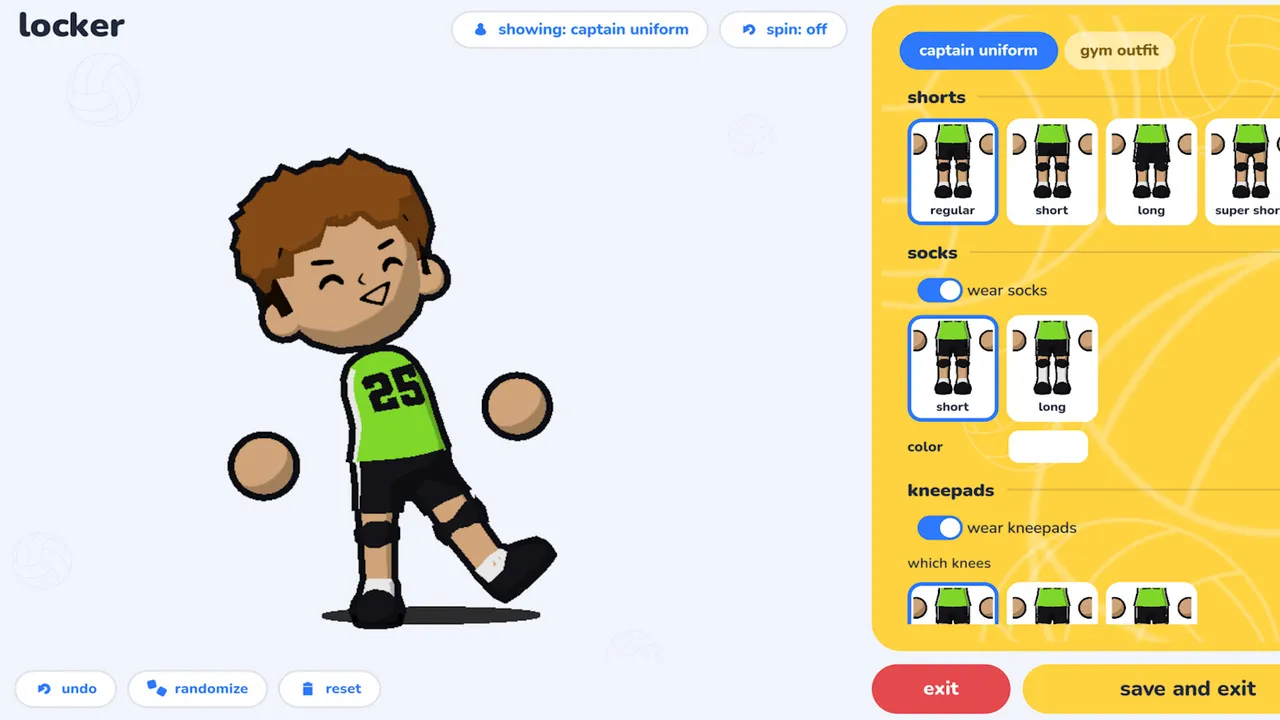
- Open the Locker from the main menu.
- Click Presets in the blue side bar.
- Click Import in the yellow save-slot menu.
- Paste the whole code, starting with
JV2:, and save it.
These steps are from Tardo's Steam guide. Tardo also warns that some looks need accessories you buy in the in-game store, and the game prompts you if that is the case.
What if a code does not work?
- Copy all of it. Codes are long. Use the Copy button above rather than selecting by hand, and do not add spaces.
- Check the prefix. Every code on this page starts with
JV2:. If yours does not, part of it is missing. - Missing items. If the game asks you to buy an accessory, the preset uses something you do not own yet.
- After an update. If a big patch changes the preset format, older codes may stop importing. The developer plans a large cosmetics update for early December 2026 (new hairs, hats and face options), so we will re-check this list when it lands. See just volleyball updates.
How do you keep your own look safe?
Save your own preset as a code and keep it in a note. On 22 November the developer wrote that some players lost save data and that, while he is working on restoring levels and chips, he cannot restore presets. Our just volleyball fixes page covers that bug.
Where do new character codes come from?
Players share them in Steam guides, on Reddit and in YouTube descriptions. When we add a code we credit the person who made it and link to where they posted it. If you made one of the codes on this page and want it removed or credited differently, we will do that on request.
The Locker is also where the Photo Studio mode lives, added in the full release, so you can take a picture of your player once the preset is on. For the rest of the game, start with the just volleyball guide.
Questions players ask
Are just volleyball character codes the same as redeem codes?
No. They are presets that copy a player's look: body, hair, face and outfit. They do not unlock items, currency or titles.
Why won't my just volleyball code import?
Copy the whole string including JV2: at the start, with no spaces or line breaks. If the game asks you to buy an accessory, the look uses an item you do not own yet. Codes made before an update can stop working if the preset format changes.
Where do I paste a character code?
Locker → Presets (the blue side bar) → Import (in the yellow save-slot menu). Paste the code and save it to a slot.
Can lost presets be restored?
The developer said on 22 November that he cannot restore presets lost to the save-data bug, though he is working on restoring levels and chips. Keep a copy of your own codes somewhere safe.
Sources
- TARDO'S CHARACTER CODES by Tardo (Steam guide, updated 21 Nov 2026) — codes and import steps
- Ranked, Additional Music, Bug fixes – Future Update Yapping (temkosoft, 22 Nov 2026) — ★★★
- just volleyball – official release (temkosoft, 16 Nov 2026) — ★★★
★★★ developer or Steam store · ★★ two or more community sources agree · ★ one source, may change