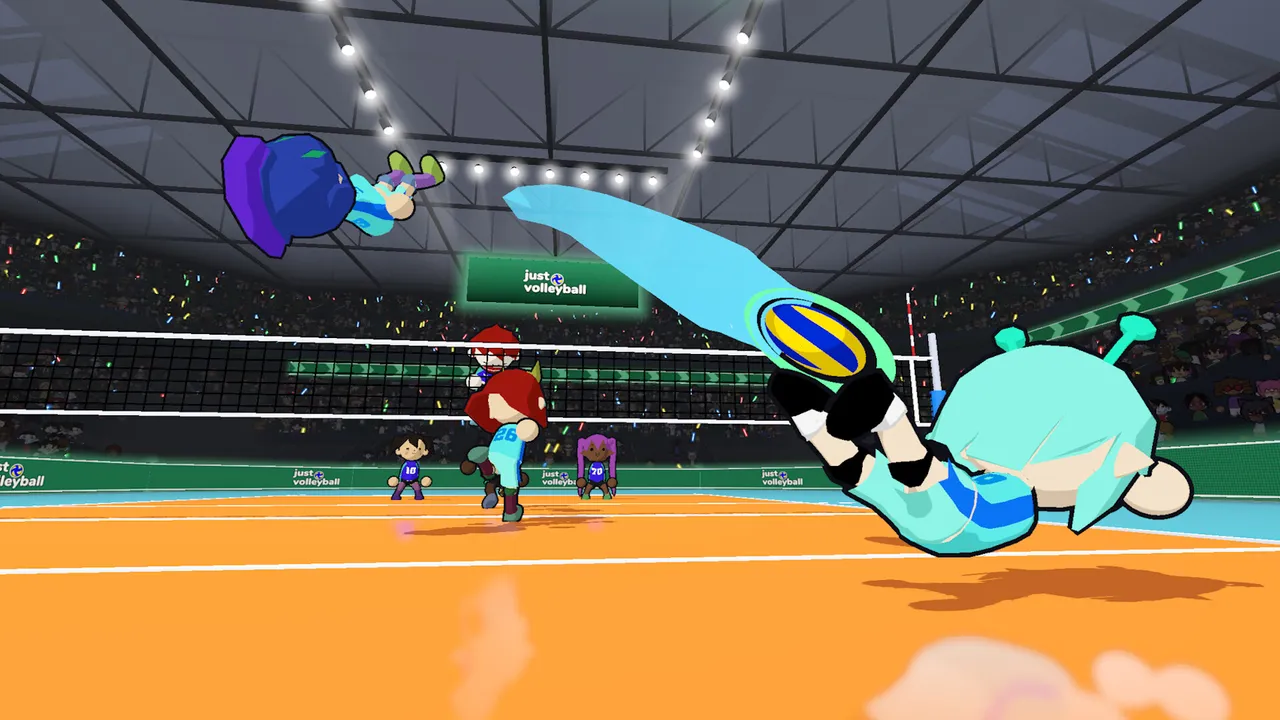
These are the default just volleyball controls on keyboard and mouse as described by several community guides and the developer's own posts. Back to the just volleyball guide for the rally basics.
What does every key do in just volleyball?
| Input | On the ground | In the air |
|---|---|---|
| W A S D | Move | Tilt your body: changes the direction and curve of a spike or serve |
| Mouse | Aim: the ball goes where the cursor is | Aim |
| Left mouse button | Receive (bump) toward the cursor; toss the ball when serving | Spike, or hit a jump serve |
| E | Set: tap for a high ball, hold for a quicker, flatter one | Jump set (shown in creator videos) |
| Right mouse button | Dive toward where the ball will land | Block |
| Space | Jump; hold to charge a higher jump | — |
| Shift (hold) | Strafe: your body keeps facing the cursor | — |
| Ctrl (hold) or double-tap W | Sprint, uses stamina | — |
| C | Switch camera mode | — |
| V | Camera zoom | — |
| 1–4 | Quick chat messages | — |
Some sites list extra keys such as R or Q for serving and re-centering. We could not confirm those in a second source, so they are left out until we can.
Why does the same button do two things?
The game reads whether you are on the ground or in the air. On the ground the left mouse button is a receive; once you jump it becomes a spike. The right mouse button is a dive on the ground and a block in the air. This is why timing your jump matters so much: press too early or late and you get the other action.
How does setting work, tap or hold?
Three video creators (Pikixyz, KYondric and DairyusGAMING) show the same thing: tap E for a high set, hold E to push the ball faster and lower. One written guide describes holding E as a "higher" set instead, so treat the exact feel as something to test in free play. Aim the cursor where you want the hitter to meet the ball, not at the hitter.
How do jumping, the BAM jump and stamina work?
- Normal jump: tap Space for a low jump, hold it to charge a higher one. A circle under your player shows the charge.
- BAM jump: keep holding until the circle is green and flashes white, then release. You go very high, but it drains all your stamina.
- Stamina: the green bar. Sprinting and diving use it. At zero your player stops for a moment, which usually happens after diving on low stamina.
- Dive direction: a dive goes toward where the ball is landing, not toward the cursor. The cursor still decides where the ball goes after you touch it, so you can aim before you dive.
The developer's advice is not to dive at balls you can walk to: it costs stamina and can knock a teammate down.
Which camera should you use?
Press C to cycle the camera. One beginner guide lists four modes: Dynamic (follows the ball, the default), Static, Broadcast and Action. V changes zoom. The creator Tenzen uses Dynamic, FOV 90 and focus on center; that is his preference, not a rule.
How do you rebind keys?
Key binds are saved per profile: open the profile tab at the top of the menu, then that profile's settings. Players rebind a lot. The author of the Steam Movement Guide dives with Q and sprints with Left Shift, and Pikixyz sets with a side mouse button.
Does just volleyball work with a controller?
Steam lists partial controller support, DualShock support and the Steam Input API. Controller support was disabled to pass Steam review and re-enabled on launch day (16 November 2026); the developer says you may have to fully restart Steam for it to work. A Steam thread about aiming with the right stick, and most community advice, say keyboard and mouse is easier to aim with.
For local play, one player found that the second player joins from the controller option, not by pressing start on the second pad. That is a single report, so check it yourself.
Next: the just volleyball serve guide puts these controls to work.
Questions players ask
Can you play just volleyball with a controller?
Yes. Steam lists partial controller support with DualShock and Steam Input. Controller support was switched off to pass Steam review and the developer turned it back on with the Controller fixes post on 16 November 2026; restart Steam fully if it does not work. Many players still find aiming with the right stick slower than a mouse.
How do I change my key binds in just volleyball?
Key binds are stored per profile. Open the profile tab at the top of the menu, then that profile's settings. If a key seems wrong, check which profile is selected first.
What is the BAM jump?
Hold Space until the circle under your player turns green and flashes white, then let go. You jump much higher, but it uses all of your stamina.
What is the best camera setting?
There is no official answer. Dynamic is the default and follows the ball. The creator Tenzen uses Dynamic with FOV 90 and the focus set to center, and says it is personal preference.
Sources
- just volleyball on Steam (store page) — ★★★ features, requirements, price
- Controller fixes (temkosoft, 16 Nov 2026) — ★★★
- Movement Guide by fedora (Steam guide, 19 Nov 2026) — ★★
- just volleyball Beginner Guide: Controls, Rules, and 10 Tips (aayyy) — ★★ written from the playtest and October tutorial build
- UNGATEKEEPING Just Volleyball Tips by DairyusGAMING (YouTube, 23 Oct 2026) — ★★ recorded before launch
- How To Be A SETTER In JUST VOLLEYBALL! by Pikixyz (YouTube, 23 Oct 2026) — ★★
- How to Play Setter like Atsumu & Setter Dump! by KYondric (YouTube, 21 Nov 2026) — ★★
- The BEST cam settings in Just Volleyball by Tenzen (YouTube, 16 Nov 2026) — ★ personal preference
- New Player PSA – Tips & Tricks (temkosoft, 21 Nov 2026) — ★★★
- "How to play local 2 players?" (Steam discussion) — ★ one player report
★★★ developer or Steam store · ★★ two or more community sources agree · ★ one source, may change