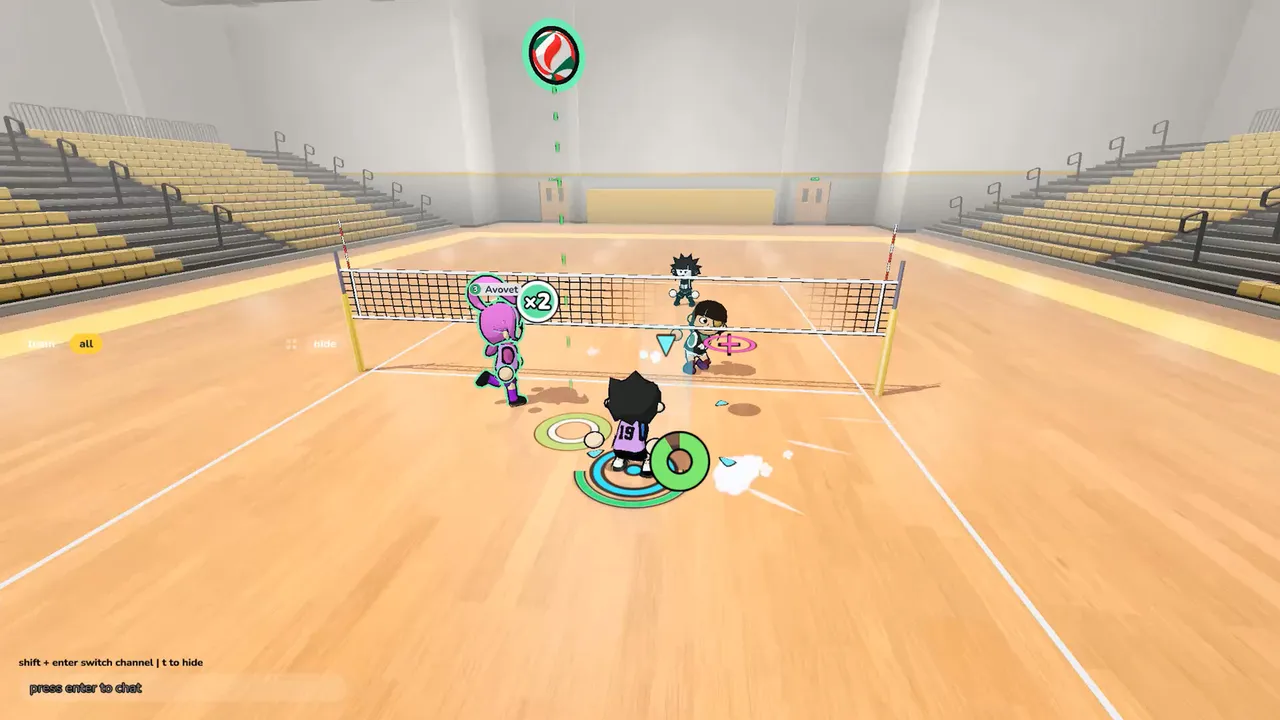
Start on the just volleyball guide home page if you want the controls on one screen first. This page is the order to learn things in.
What kind of game is just volleyball?
just volleyball is an arcade volleyball game on Steam by temkosoft. You control one player. Movement is manual (WASD) and the mouse cursor decides where each touch sends the ball, whether you receive, set, spike or serve. Formats run from 1v1 to 6v6, online or offline.
That split between your feet and your cursor is the whole learning curve. A review on RealSport101 put it plainly: the game "does a poor job of explaining itself" and most deeper knowledge comes from guides and other players. The developer agrees that practice tools are thin at launch: drills, a ball machine and freer bot spawning are on his list for next year.
How does a rally work, and what is the three-touch rule?
- Each side gets three touches to send the ball back over the net.
- One player cannot touch the ball twice in a row, except in 1v1.
- A block does not count as one of the three touches.
- The point ends when the ball hits the floor.
Two community guides describe these rules the same way (both written from the pre-launch builds). There are no rotations to track. GameSpot's review also notes that the game does not call net touches and that any player can jump to block, not only the front row.
What should you do in your first 30 minutes?
| Minutes | Where | What to practise |
|---|---|---|
| 0–10 | Free play or a bot match | Walk under the ball, receive toward a target with the left mouse button. Do not dive yet. |
| 10–20 | Bot match, 2v2 | Set with E: tap for a high ball, hold for a quicker one. Then jump early and spike at the top of the jump. |
| 20–30 | Private lobby with friends, or local play | Serve: toss with the left mouse button, hit with the left mouse button. Add a jump once the standing serve lands in. |
| After | Server browser, then quick match | Pick lobbies with tags that suit you. The developer suggests this over quick play if you want a curated match. |
The developer's own advice in his New Player PSA is to go into local play or private lobbies first, because "you can't go online expecting to have fun if you haven't even learned your buttons yet". He also says he got good at his own game through hours of bot matches.
Which five habits did the developer ask new players to learn?
- Don't panic. Many players dive too often. If you can reach the ball by walking forward and receiving, do that: it saves stamina and does not knock your teammates over.
- Personal space. Players sitting back and keeping the ball up matter as much as attackers. If everyone goes to spike at once, the back line is empty.
- Move your body. Receiving is more than pressing the left mouse button. Sprint into position, keep your cursor on your setter, and watch the landing marker on the floor instead of the server.
- Jump earlier. You should already be in the air as the ball passes over you, hitting at the top of your jump.
- Observe others. Everyone has the same controls. Watching replays and better players teaches a lot.
He also points to the How to play section inside the game, where he wrote more tips and explains mechanics.
Which match size should you start with?
Start small. In 1v1 and 2v2 you touch the ball far more often, so you learn faster. On 22 November the developer wrote that 2v2 had become the most played quick-match format and 6v6 the least, and that queue speed depends on your region, the modes you tick and the time of day. Ticking every mode does not make the queue faster.
There is a built-in helper for beginners: quick match gives priority to players at level 10 and below queueing together. It is ignored when you are in a party with a higher-level player.
What can you do when quick match feels unfair?
- Use custom lobbies. You can create a public lobby with server tags and kick players who do not fit.
- Mute someone. Pause, open Players & Teams and click a player to mute their chat and hide their avatar content.
- Vote kick. There is a vote kick system; the developer says it still needs work with party stacks.
- Wait for ranked. Ranked is not in the game yet. The developer's target for a first version is early December 2026, with monthly resets and no seasons. Third-party ranked sites are, in his words, "unofficial and always will be".
What should you learn next?
Once a rally holds together, read the just volleyball controls page for strafing and cameras, then beginner mistakes to find what is costing you points, the skills guide for each touch, and multiplayer when you are ready to play with others. If the game will not open, go to just volleyball fixes.
Questions players ask
Is just volleyball hard to learn?
Yes, at first. The controls are few, but you aim every touch with the cursor while moving by hand. The developer says the in-game practice options are lacking at launch and that drills are planned for next year, so most players learn in bot matches and private lobbies.
Can I play just volleyball offline against bots?
Yes. The Steam page lists offline play with bots, local play, LAN and split screen, and the developer recommends bot matches and local play for new players.
Should I start with 1v1 or 6v6?
Small formats give you more touches per rally. The developer said on 22 November that 2v2 is the most played quick-match format and 6v6 the least played, so 2v2 also tends to find games faster.
Why do I keep getting matched with much better players?
There is no ranked mode yet. Quick match gives priority to players at level 10 and below queueing together, but that is ignored when you are in a party with someone higher. Custom lobbies in the server browser let you set tags and kick players.
Sources
- New Player PSA – Tips & Tricks (temkosoft, 21 Nov 2026) — ★★★
- just volleyball update 1.0.1 (temkosoft, 20 Nov 2026) — ★★★
- Ranked, Additional Music, Bug fixes – Future Update Yapping (temkosoft, 22 Nov 2026) — ★★★
- just volleyball on Steam (store page) — ★★★ features, requirements, price
- just volleyball Beginner Guide: Controls, Rules, and 10 Tips (aayyy) — ★★ written from the playtest and October tutorial build
- All My Time Meant For GTA 6 This Week Is Being Taken Away By A Volleyball Game (GameSpot) — hands-on
- just volleyball Review (RealSport101, 18 Nov 2026) — review
- How to Get Better at just volleyball | Tips & Tricks by SharpV (YouTube, 22 Oct 2026) — ★★ recorded before launch
★★★ developer or Steam store · ★★ two or more community sources agree · ★ one source, may change